Loved by MarketingArticle
Claude Meta Ads: What It Can Do and What to Keep Read-Only
Claude can read and change your Meta ad account through Meta's own connector. How to set it up read-only, five Black Friday prompts, and where chat runs out.
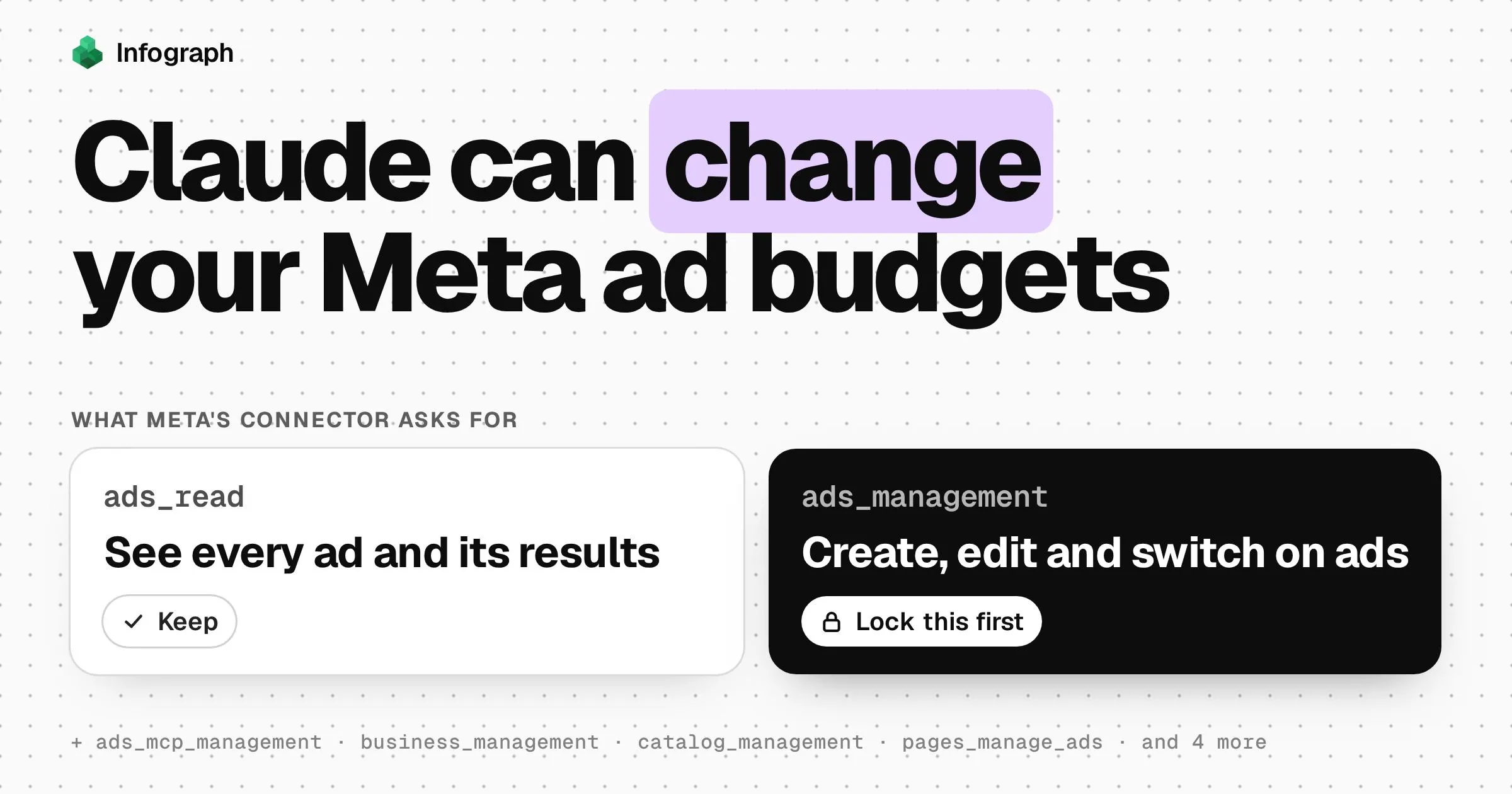
Claude can work inside your Meta ad account, and reading is only half of it. Through Meta’s own connector, Claude can pull your results, and it can also create campaigns, change budgets and switch ads on. When we asked Meta’s server what access it wants, ads_management, the permission that changes ads, was on the list.
Our advice: connect it, but lock the budget before your first question. Then use it for what a chat does well, one sharp question at a time. For the check you’ll repeat every morning until Cyber Monday, a dashboard on a synced copy of your data does the job better, and Claude can help you build that too.
Claude or Infograph for the Black Friday check?
Between now and Cyber Monday you’ll ask two kinds of question: one-off ones (“why did CPM jump yesterday?”) and the same few every morning. Claude with Meta’s connector suits the first kind. A dashboard on a synced copy, which is what we make, suits the second. Here’s where each one wins and where it doesn’t.
| Claude with Meta’s connector | Infograph | |
|---|---|---|
| Setup | Add a connector and sign in with Facebook | About 15 minutes, once: a small Meta app, a read-only token and admin rights |
| What it reads | Your live ad account, right now | A read-only copy, refreshed when you press Sync (Free), daily (Plus) or every 30 minutes (Pro) |
| Last Black Friday | Fetched again each time you ask | Already there: the first sync loads a year |
| Can it change your ads? | Yes, unless you lock it | No: the connection only has ads_read |
| Tomorrow morning | A new chat, rebuilt from scratch | The same dashboard, worked out the same way |
| Sharing | Your chat | A dashboard your team can open |
| Falls short on | Repeating the same check, and keeping a year of history to hand | Numbers between syncs, your actual retargeting audiences, and frequency beyond one day |
| Best for | One sharp question, and acting once you choose to | The daily check, last year beside this one, and a team looking at the same figures |
You don’t have to pick one. Through Infograph’s own MCP server, Claude can query the synced copy and build the dashboard from the chat (setup below). The right-hand column is easier to judge with one in front of you: our sample candle brand’s Meta Ads dashboard opens without signing in.
Connect Meta Ads to Claude with Meta’s MCP connector
Meta calls it the ads MCP server. MCP is the standard that lets assistants like Claude plug into other apps. It has been in open beta, Meta’s word for a public test, since 29 April 2026. Once connected, Claude gets a set of tools: single actions such as fetching results or changing a budget.
You add it in Claude as a custom connector, which Anthropic says works on every Claude plan (the Free plan allows only one). Meta says you don’t need to register as a developer. Its help page adds that “you may not have access to all of these tools and features yet”, and that using the connector doesn’t, on its own, put your account at risk of a ban.
Add a custom connector
In Claude on the web or the desktop app, open Customize, then Connectors. Press + Add, then Add custom connector.
Paste Meta's address
Name it Meta Ads and paste
https://mcp.facebook.com/ads. Press Continue, keep Claude’s suggested sign-in settings, then press Continue again and Add.Sign in with Facebook
Press Connect. Meta’s Facebook Login for Business screen opens. Sign in with the account you use for ads and read the permissions before you approve them.
Lock it, then test with a read
Block the tools that change things (next section). Then start a new chat, press +, choose Connectors and switch Meta Ads on. Ask Claude to list your ad accounts: it’s the first prompt Meta suggests, and it only reads.
On a Team or Enterprise plan, an Owner adds the connector in Organization settings, then Connectors, and you press Connect on it in your own list (Anthropic). In Claude Code, Meta’s docs give a command for people who have registered their own app with Meta:
claude mcp add --transport http \
  --client-id <META_APP_ID> \
  meta-ads https://mcp.facebook.com/ads
Keep Claude read-only
ads_read lets an app see your ads and results. ads_management lets it create and change them, budgets included. Meta’s connector works with either. On 15 November, Meta’s server listed ten permissions it asks for, ads_management among them, and Meta’s docs don’t say whether you can leave ads_management out. So assume Claude can change whatever your own Facebook account can change.
Meta does have a safe default: new campaigns, ad sets and ads are created paused, and your AI client asks before switching anything on. Three things get past it:
- Edits to things already running. A new budget on a live ad set goes through
ads_update_entity, which Meta describes only as updating “fields on an existing campaign, ad set, or ad”. Meta promises a pause for new things, not for edits. - Always allow. Claude can ask before it uses a tool. Click Always allow and it stops asking for that one.
- Research. In Research, Claude’s mode for long, multi-step digging, Anthropic says Claude uses connector tools “without further approval”.
Lock it in this order, strongest first:
- At Meta. If you have full control of the business portfolio, open Settings in Meta Business Suite, then Ads MCP server under Integrations. Set Create campaigns, or Edit or set budget, to Blocked for the ad account (Meta). Meta enforces this whatever happens in the chat. These rules are still in limited availability, so you may not see the page yet.
- With a view-only login. If the person who connects Claude has only View performance access to the ad account, nothing in the chat can change it.
- In Claude. In the Connectors page, open Meta Ads and set every tool that creates, updates, activates or deletes to Blocked. Leave the rest on Needs approval, and read each request before you click.
Until Cyber Monday, 30 November, we’d keep switching things on, budget edits and custom audiences with a person. Let Claude draft the change, then make it yourself in Ads Manager.
Five Meta Ads questions to ask Claude before Black Friday
Black Friday is 27 November. These questions only read. Under each is what to check, because a wrong chat answer sounds just as sure as a right one.
Which ads are tired?
Using Meta Ads, list every ad that spent money in the last 14 days. Compare each one’s link click-through rate over those 14 days with its own first 7 days, and show its share of spend and how often each person saw it. Sort by spend.
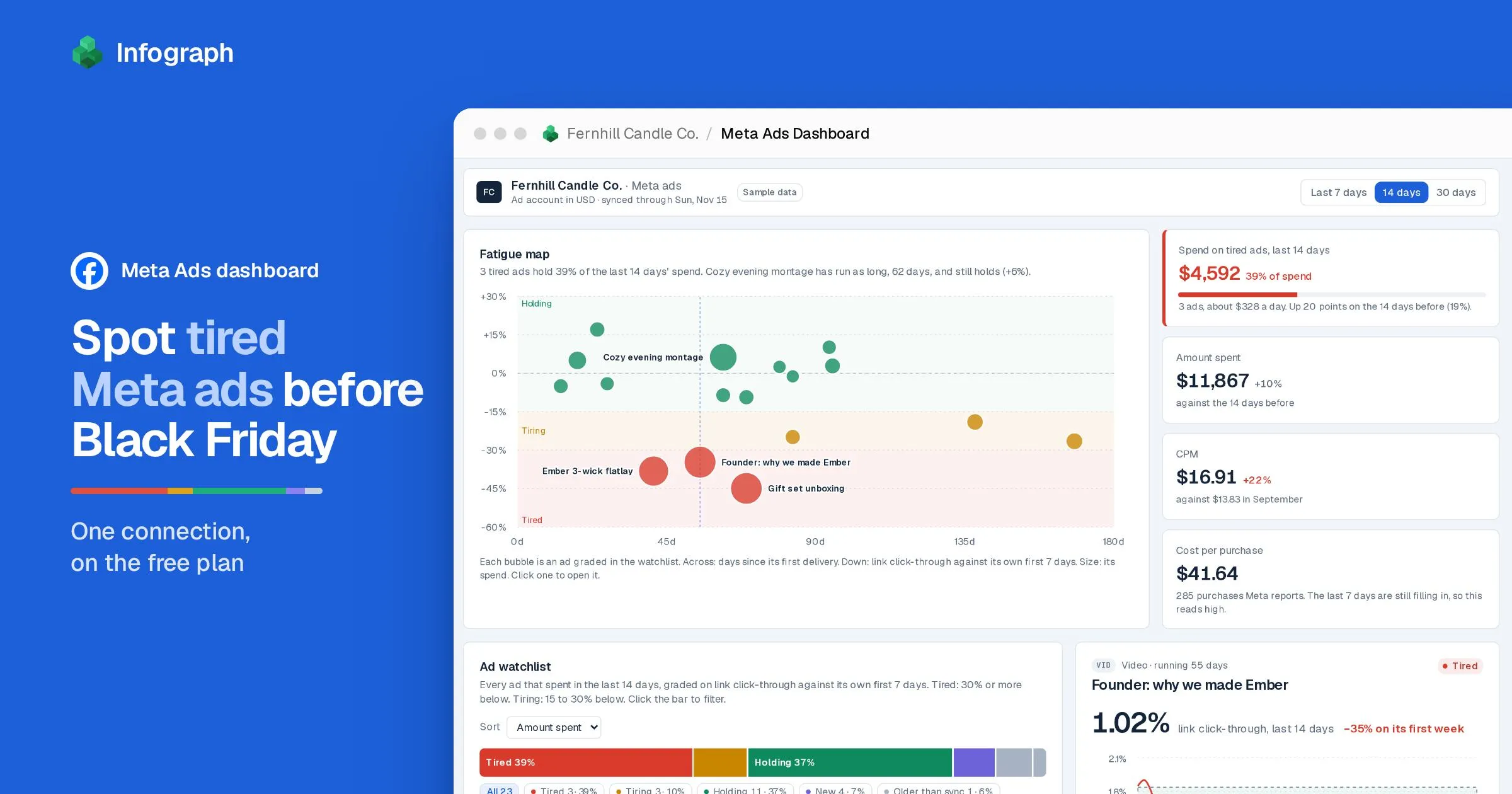
Check it uses link clicks, not all clicks, and leaves out ads younger than about ten days. In our sample dashboard, an ad 30% or more below its first week counts as tired.
How far has CPM moved since September?
What has my CPM been on each of the last 7 days, compared with my average in September 2026? Break it down by campaign, and tell me which campaigns didn’t run in September.
For scale, the ad analytics company Lebesgue found the median brand’s CPM ran 59% above September across Black Friday week 2025.
Which placements bring the cheapest purchases?
Which placements brought me purchases most cheaply over the last 30 days? Show the cost per purchase and the number of purchases for each, and leave out any with fewer than 10.
Check the purchase count sits beside the cost. Meta can add purchases to a day for up to 28 days after it, so the latest week will look worse than it ends up.
How often does retargeting reach the same people?
Find my retargeting ad sets from the custom audiences they target. Compare how often each person saw those ads with my other ad sets over the last 30 days, and tell me how you worked out the frequency.
Check frequency covers the whole 30 days. Daily figures can’t just be added up: someone who sees an ad on Monday and again on Tuesday is counted once each day, so a sum counts them twice.
What will Black Friday cost this year?
Last year, what did I spend and how many impressions did I buy from 28 November to 1 December 2025? How much did my daily CPM rise over the 11 days before Black Friday 2025? If it rises the same way from today’s CPM, what would the same impressions cost from 27 to 30 November 2026?
Ask to see each step of the sum. It’s last year’s curve on this year’s prices: a fair start for a budget, not a forecast.
Where a chat runs out, and a dashboard takes over
Those questions are worth asking once. Asking them every morning is where a chat struggles. Each chat starts from nothing, so tomorrow’s answer may use a different date range or a different kind of click. Last week’s numbers keep moving as late purchases arrive. And comparing this November with last means pulling a year of rows through the chat every time.
A dashboard answers the same way every day. That’s what we built for Black Friday in our Meta Ads dashboard showcase. It runs on Infograph’s Meta connection, which reads every ad and can change none. Its watchlist grades each ad against its own first week:
It has limits too. Claude, asking Meta live, can pick any date range and look up your actual retargeting audiences. Our copy holds frequency one day at a time, and the dashboard finds retargeting from ad set and campaign names. Open the full dashboard to click through it.
To build your own, connect your ad account. The connection guide puts it at about 15 minutes, once: you make a small Meta app and a read-only token from it, and you need admin rights on the business portfolio.
Facebook Marketing
Sync campaigns, ads, creatives and daily performance with conversions and breakdowns
Then ask Infograph for the dashboard:
Black Friday is coming. Using my Facebook Marketing data, show me which of my ads are wearing out: grade each one on its link click-through over the last 14 days against its own first week, and show how much of my spend sits in the tired ones. Then show how my CPM moved around last Black Friday, and what last year’s Black Friday to Cyber Monday impressions would cost me at this year’s prices. Treat the last 7 days of purchases as still filling in.
Infograph’s Free plan includes one connection, which you refresh by pressing Sync. Plus syncs daily and Pro every 30 minutes (see the plans).
Or let Claude build it
To work from Claude instead, add Infograph as a second custom connector. In Claude’s Connectors page, press + Add, then Add custom connector. Name it Infograph, paste https://app.infograph.ai/mcp, press Continue, then Add, and sign in to Infograph. Your Meta ad account needs to be connected in Infograph first. Using Meta’s connector and ours side by side needs a paid Claude plan, since Free allows only one. In Infograph, the link to Claude lives on the AI Connect page.
Other ways to bring Meta Ads into an AI
A CSV export from Ads Manager is the safest: Claude only sees the file, as it was when you exported it. Data companies such as Windsor.ai, Supermetrics and Madgicx sell their own Claude connectors, often with Google Ads and others beside Meta; check what each can change, and its price. ChatGPT is narrower: OpenAI says custom MCP servers with write actions are for Business and Enterprise/Edu workspaces, added by an admin, and Pro accounts get read and fetch only. And if you run a handful of ads, Ads Manager is free and already shows frequency, CTR and CPM for every ad.
Whichever you choose, the order matters more than the tool this month: lock the budget first, ask your questions second, and leave the changes to a person until Cyber Monday is over.
Claude Meta Ads questions
Is it safe to connect Meta Ads to Claude?
Meta's help page says: “It's safe to connect your ad account through Meta's ads MCP server, and it's unlikely that an account would be banned simply for using it.” The real risk is a change you didn't mean, because Claude can do what your Facebook account can do. Block budget and status changes before you start.
Does Meta's Claude connector cost anything?
Meta's pages don't mention a price. In Claude, custom connectors work on every plan, Free included.
Can Claude change my Meta ad budgets?
Yes, if your Facebook account can and the tool isn't blocked. Meta creates new campaigns paused, but promises no pause for a budget edit on an ad set that's already running. Block Edit or set budget in Meta Business Suite's Ads MCP server settings, or set Claude's write tools to Blocked.
Which ad accounts can Claude see?
The ones your Facebook login can reach. Ask Claude to list your ad accounts first, then name the one you mean in each question.
Can Claude use my Meta data in Infograph?
Yes. Once your Meta ad account is connected in Infograph, add Infograph in Claude as a custom connector with the address https://app.infograph.ai/mcp, then sign in. Claude can query your synced Meta data and build or update dashboards, but it can't change your ads.
Will Anthropic train Claude on my ad data?
For its Free, Pro and Max plans, Anthropic says raw content Claude reads through connectors, MCP servers included, isn't part of what it may use to train its models, though anything copied into the conversation is treated like the rest of the chat. Team and Enterprise come under Anthropic's commercial terms.
How do I disconnect Claude from Meta Ads?
In Claude, open Customize, then Connectors, and press Remove, or use the three-dot menu beside Meta Ads. On Team and Enterprise plans an Owner removes it in Organization settings, then Connectors.
Is there a Claude Meta Ads skill?
People share Meta Ads skills on GitHub: instruction files Claude reads before a task. You don't need one; the five questions above work as typed. Read anyone else's skill before you add it, because it can tell Claude to use any tool it has, including the ones that change ads.
I'm having trouble connecting my Meta ad account to Infograph
The guide covers each step and the errors you might see, such as a token without ads_read or an ad account the system user can't see:
Get answers from all of your data
Infograph reads everything you connect and turns a question in plain words into an answer, a data report or a live dashboard.
Answers, reports and dashboards
Ask a question and get back what it needs: a straight answer, a written report or a dashboard that stays live.
Frontier intelligence
The latest models from the leading labs, chosen for speed, intelligence, price or open source.
Every app and kind of data
Upload files or connect your apps and databases. Infosync keeps them fresh, with nothing to schedule.
 Built with Infograph